WindowsmacOS
Use Global Keyboard Shortcuts
Open the clipboard or preferences from the keyboard and optionally use Win+V for DeskAcross on Windows.
Open Shortcuts → Global Shortcuts in DeskAcross settings to see the keyboard shortcuts assigned to your clipboard and preferences windows.
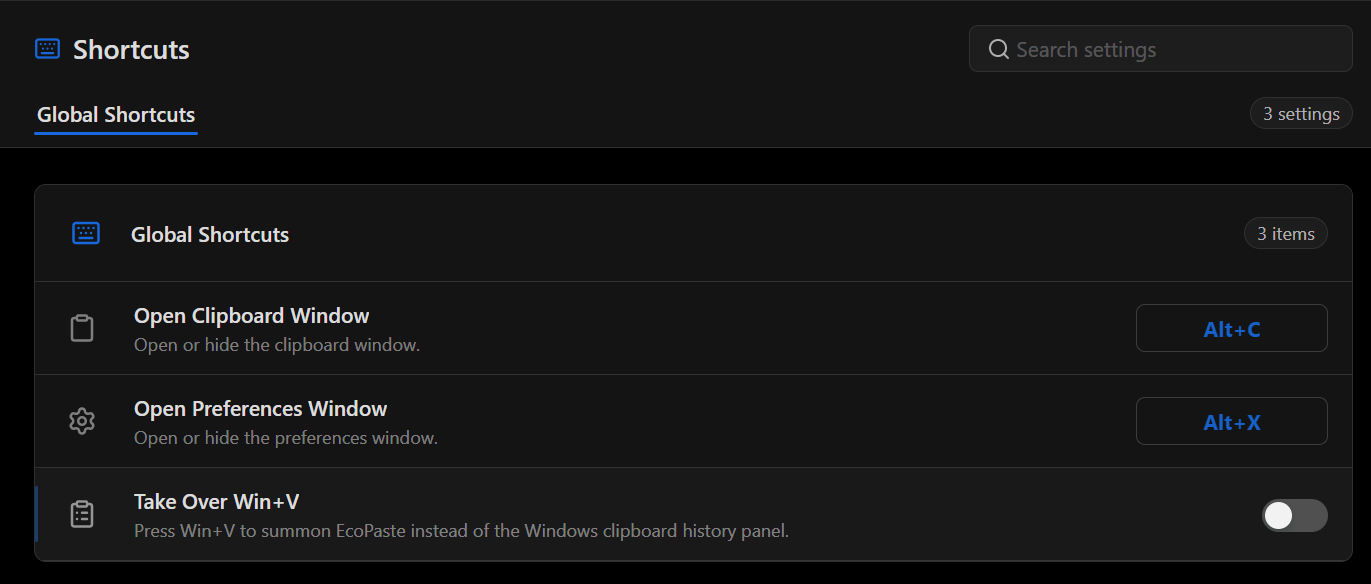
| Setting | What it does | Shortcut shown in the example |
|---|---|---|
| Open Clipboard Window | Opens or hides the clipboard window. | Alt+C |
| Open Preferences Window | Opens or hides the preferences window. | Alt+X |
| Take Over Win+V | On Windows, opens DeskAcross when you press Win+V in place of the Windows clipboard history panel. | Win+V when enabled |
Use the key combinations shown in your own settings. To assign a different combination, select the shortcut control next to the window you want to open.
Use Win+V for DeskAcross on Windows
- Go to Shortcuts → Global Shortcuts.
- Turn on Take Over Win+V.
- Press Win+V to open DeskAcross.
Turn off Take Over Win+V to return the shortcut to Windows.
For settings such as Open Position and Return to Top on Open, see Customize the DeskAcross Interface.
Did this article help?